Page Subscription
Overview
Page subscription sends a dashboard page as a whole through scheduled or triggered subscription pushes.
Prerequisites
To send subscriptions by email, complete Email Configuration in Management Center > System Integration.
Create a Subscription
There are two entries for creating a page subscription:
-
Click
Morein the upper-right corner of a dashboard page and selectCreate Page Subscriptionto enter thePage Subscriptionconfiguration page.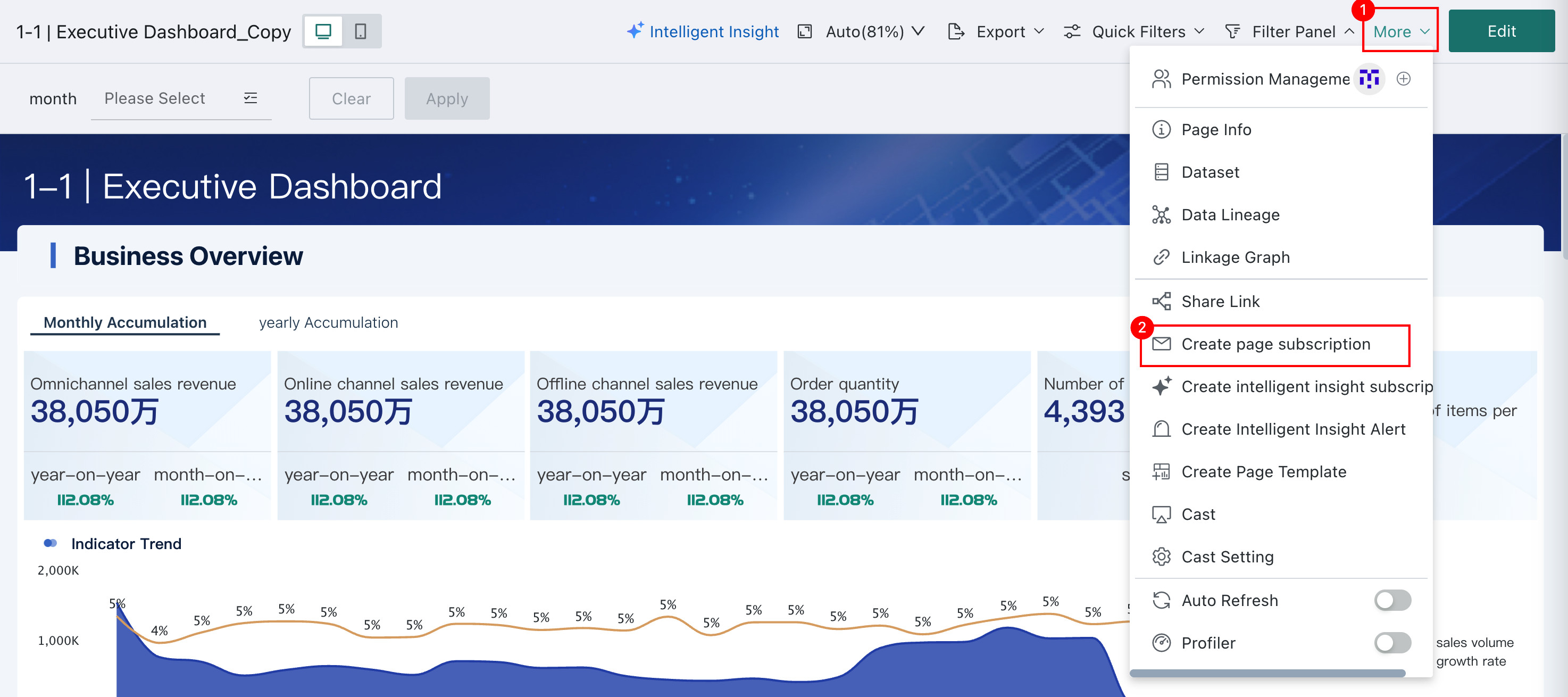
-
Open the app launcher in the upper-right corner and select
Subscription Plan.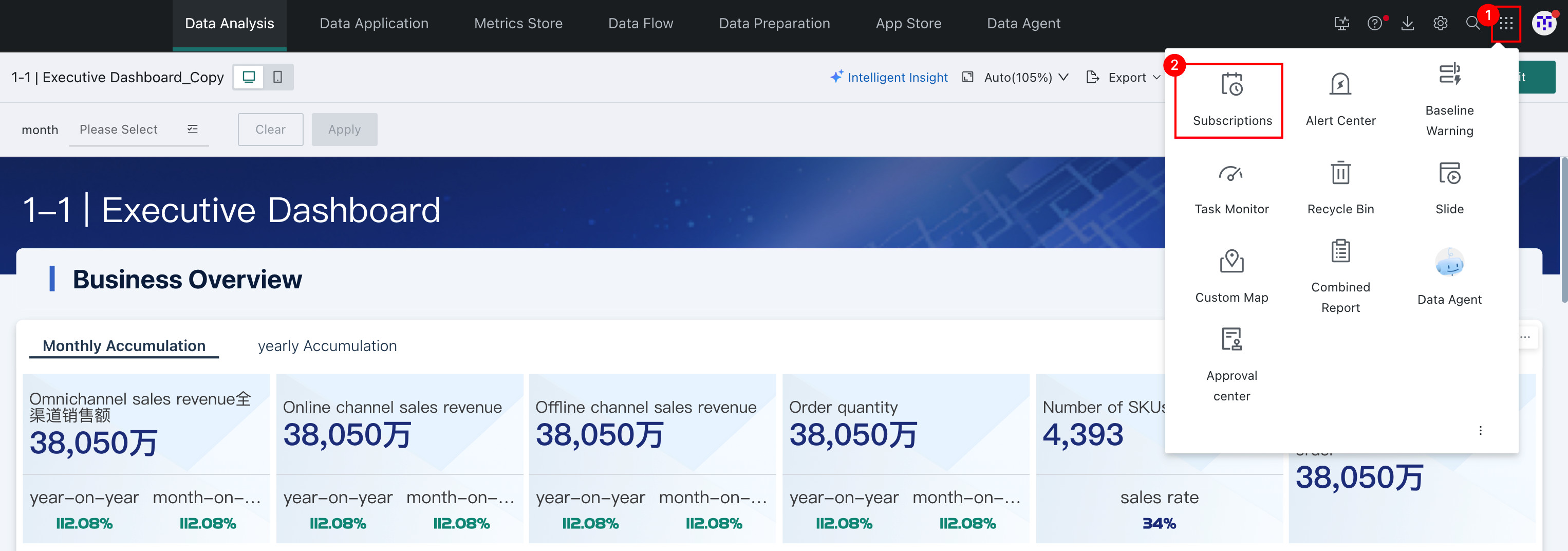
On theSubscription Planpage, selectPage Subscriptionand clickAdd Page Subscriptionon the right to enter thePage Subscriptionconfiguration page.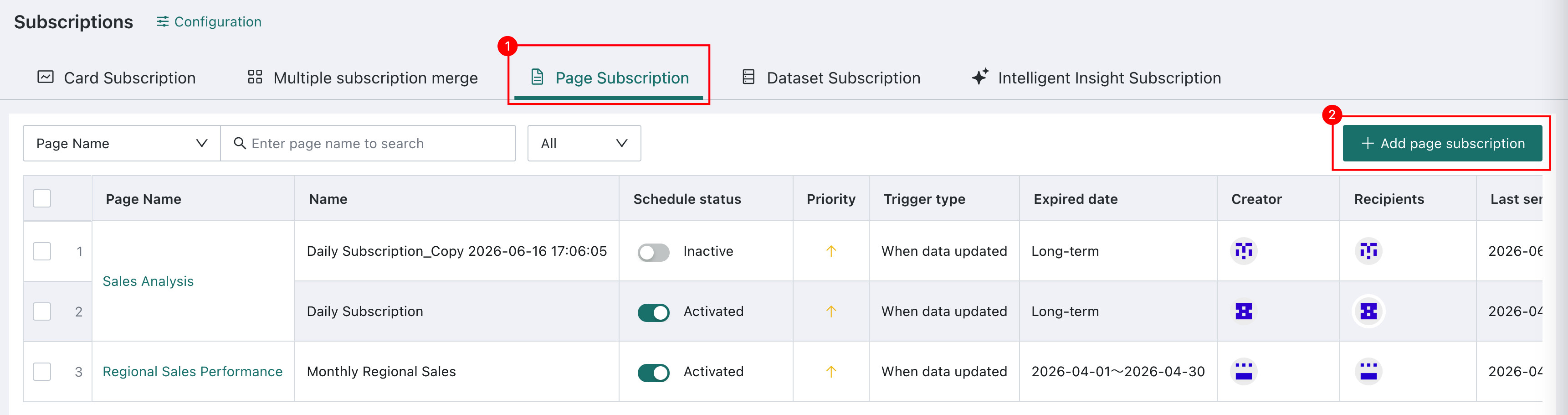
Configure a Subscription
Basic Information
This is roughly the same as Card Subscription - Basic Information, except that the subscription object selected here is a page.
Trigger Mechanism
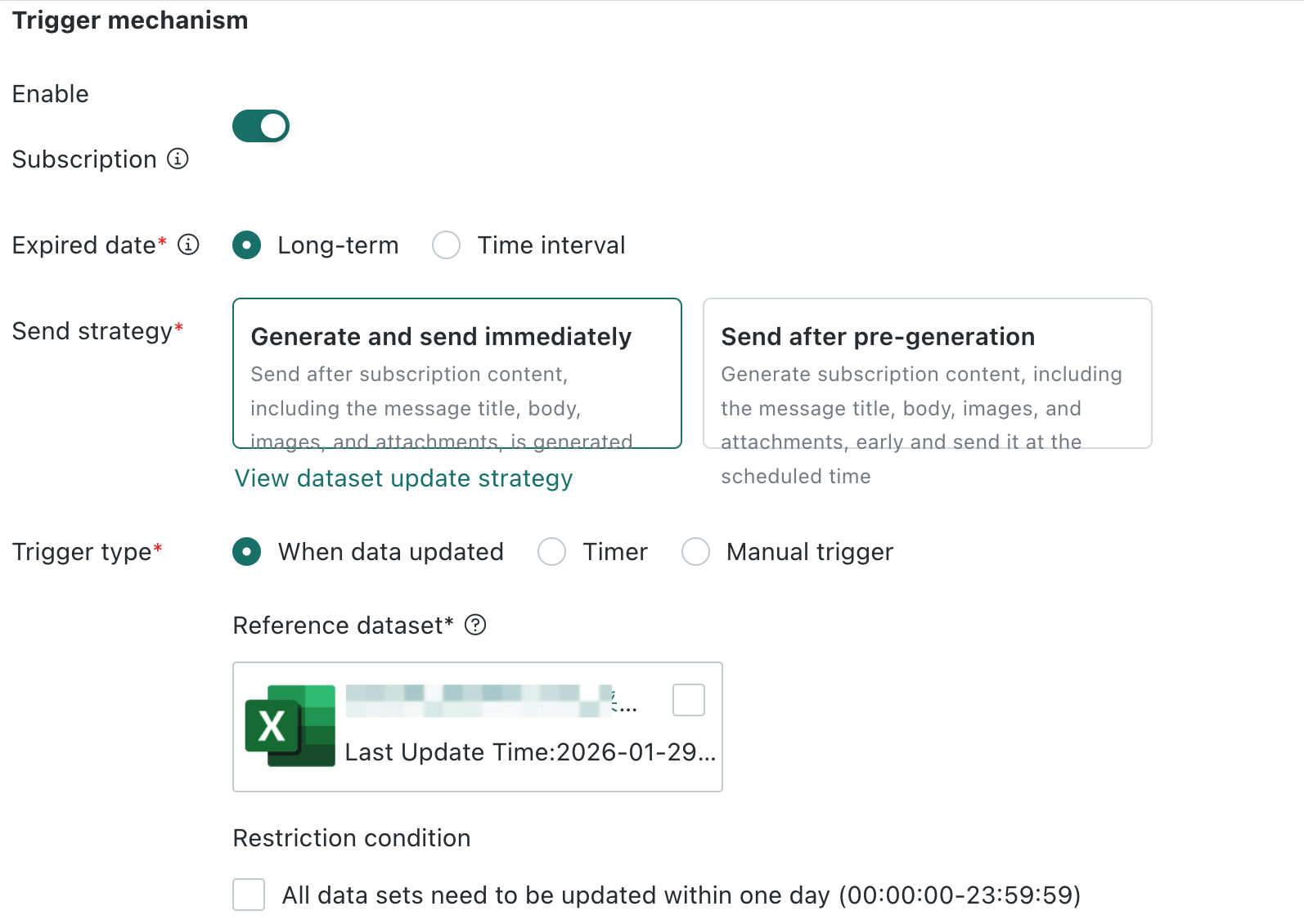
This is roughly the same as Card Subscription - Trigger Mechanism, with the following difference:
After After Data Update is selected, the datasets currently used by the page appear as trigger conditions.
- Select the datasets to associate. When all selected datasets are updated, the system automatically sends notifications to subscribed users.
- When a dataset is deleted or its association with the page becomes invalid, the system continues to send the page subscription according to the configuration.
Subscription Sending
This is roughly the same as Card Subscription - Subscription Sending, with the following difference:
In page subscription, Conditional Distribution filters content based on page filters. Tree filters are not supported as linkage conditions. In card subscription, Conditional Distribution filters based on values of card dataset fields.
Subscription Content
This is roughly the same as Card Subscription - Subscription Content, with the following difference:
Page subscription supports adding images and attachments to emails. To meet the needs of users who subscribe to dashboard images on mobile phones, page subscription supports setting mobile view images.
| Notification Channel | Images and Attachments | Jump Link |
|---|---|---|
| Supports images and PDF attachments. The data displayed in attachments is the data visible to the subscription creator. Data attachments can be up to 50 MB. Sending fails if this limit is exceeded. | Jumping is not supported |
Failure Notification
This is the same as Card Subscription - Failure Notification.
Priority
This is the same as Card Subscription - Priority.
FAQs
For subscription-related FAQs, see FAQs.